
Free Receipt Maker — Create and Download Receipts | SimpleReceiptMaker
- Choose template
- Fill in details
- Download, Share, Print or Email
Our free receipt maker lets you create professional receipts for any business in under 60 seconds. Use our receipt maker in 3 simple steps:
Receipt Maker
✓ Free ✓ No watermark ✓ No account needed
Receipt Style
Business Info
Receipt Info
Customer Info
Rent Details
Donation Details
Table Details
Food Truck Details
Vehicle Info
On-Site Service Details
Oil Service Details
Detailing Details
Tire Details
Service Details
Tattoo / Piercing Details
Warehouse Club Details
Electronics Details
Resale Details
Order Details
Delivery Details
Move Details
International Shipping Details
Trip Details
Vehicle
Rental Details
Mileage
Fuel
Add-Ons & Charges
Service
Vehicle
Locations
Charges
Rental Details
Stay Details
Charges
Booking Details
Fuel Details
Parking Details
Prescription Details
Clinical Billing Details
Dental Treatment Details
Patient & Visit Details
Therapy Session Details
Laboratory Details
Eye Exam & Prescription
Session Details
Enrollment Details
Online Session Details
Music Lesson Details
Fitness Program Details
Language Class Details
Art Class Details
Home Cleaning Details
Office Cleaning Details
Carpet Cleaning Details
Window Cleaning Details
Laundry Service Details
Property
Job Details
Inclusions
Handover
Site Details
Job Details
Pet Grooming Details
Pet Care Details
Training Session Details
Patient Details
Seller Information
Vehicle Information
Sale Details
Odometer Disclosure Statement
Condition
Notary (optional)
Inspection Details
Closing Details
Sale Reference
Retainer Details
Project Details
Project Details
Content Details
Campaign Details
Matter Details
Financial Advisory Details
Engagement Details
Executive Engagement Details
Report Details
Photo Session Details
Wedding Details
Event Coverage Details
Print Order Details
Commercial Shoot Details
Device & Repair Details
Phone Repair Details
Appliance & Repair Details
HVAC System Details
Plumbing Job Details
Job Details
Job Details
Wedding Event Details
Corporate Event Details
Party Details
Catering Details
Venue Booking Details
Child & Care Details
Nanny Service Details
Babysitting Details
After School Details
Enrollment Details
Line Items
Service Charge
Tip / Gratuity
Labor / Services
Charges & Taxes
Notes & Footer
Your receipt is ready!
Get free receipt tips, templates and updates — enter your email to download instantly. We never spam.
Why Choose Our Free Receipt Maker?
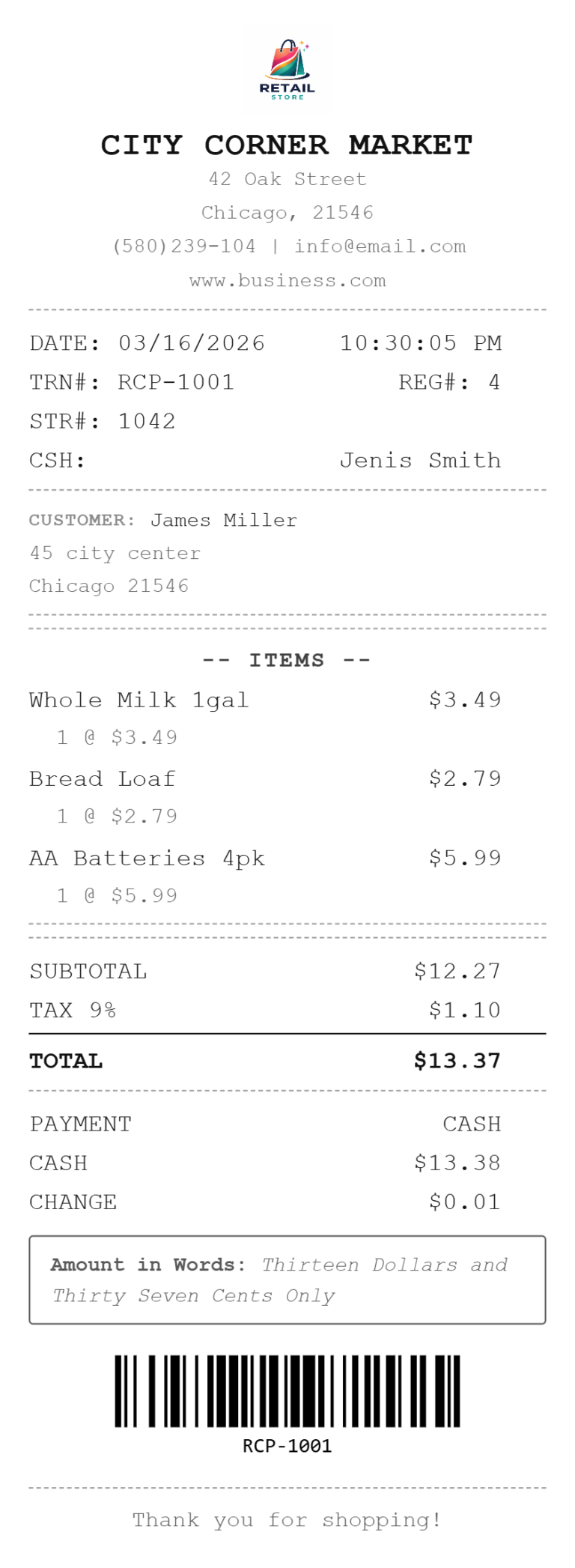
Our free receipt maker is used by thousands of people every day:
- 130+ Professional Receipt Templates — choose from restaurant, rent, retail, mechanic, cleaning, photography receipts and many more, all fully customizable to match your business
- Add Your Complete Business Information — include your business name, logo, address, phone and email so every receipt looks professional and branded
- Detailed Transaction Information — add itemized products or services, quantities, unit prices and let the receipt maker auto-calculate subtotals and totals
- 64+ Currencies Auto-Selected — our receipt maker detects your currency based on your location, or choose manually when creating receipts for international customers
- Unlimited Line Items — add as many products or services as needed with individual pricing, descriptions and quantities on every receipt
- Smart Tax & Discount Calculations — add VAT, GST, sales tax or custom tax rates and the receipt maker calculates everything automatically
- Full Customization Options — change colors, fonts, add your logo, include QR codes or barcodes, and adjust any field to match your exact needs
- Download as PDF, PNG or JPEG — print your receipt, email it directly to your customer, or share it instantly — all from inside the receipt maker
- Saved Receipts in Your Browser — your receipts are saved locally in your browser so you can access and reuse them anytime without an account
- 100% Private & Secure — your receipt data never leaves your device and is never stored on our servers.
Our free receipt maker is used by thousands of people every day:
- Small business owners use the receipt maker to create professional receipts for cash sales, services and products
- Freelancers and consultants use the receipt maker to send payment confirmation receipts to clients
- Landlords use the receipt maker to create rent receipts for tenants quickly and easily
- Restaurant and café owners use the receipt maker to generate table bills and take-away receipts
- Mechanics and repair shops use the receipt maker for job completion receipts with parts and labor
- Individuals use the receipt maker to recreate lost receipts for expense tracking and reimbursements
Whether you run a business or just need a quick professional receipt, our receipt maker has the right template for you.
Who Uses Our Receipt Maker?
If you need more help to create professional receipts for any business, Read our Blogs
What is Receipt Maker?
A receipt maker is an online tool that lets you create a professional receipt in minutes without any design skills or accounting software.
You fill in your transaction details, business name, items, amounts, tax rate, and payment method and the tool formats everything into a clean, professional document ready to download or share.
The best receipt makers, including Simple Receipt Maker, are free to use, require no account registration, and work on any device including smartphones and tablets. Unlike a Word template, a receipt maker automatically calculates subtotals, taxes, and totals so there is no risk of manual errors.
Unlike full accounting software, it does one job extremely well without charging a monthly subscription. Whether you need a cash receipt, rent receipt, donation receipt, or a general payment receipt, a receipt maker handles all of them from a single tool.
How to use Our Receipt Maker?
Step-1: Choose Your Receipt Template
Browse our library of 130+ professional receipt templates covering retail, restaurants, mechanics, rent, donations, and more. Pick the template that best fits your business type and brand style.
Step-2: Add Your Business Information
Enter your business name, logo, address, phone number, email, and website. Your logo will appear prominently on every receipt, reinforcing your brand with every transaction.
Step-3: Fill in Receipt Details
Add the receipt number, date, payment method, and customer information. Select from payment options including cash, credit card, debit card, bank transfer, or mobile payment.
Step-4: Add Items and Pricing
List your products or services with quantities and prices. Apply tax rate (VAT, GST, sales tax), add discounts, and the tool automatically calculates your subtotal and grand total instantly.
Step-5: Download, Print or Share
Export your finished receipt as a PDF, PNG, or JPEG. Print directly, send via Email, or share instantly through WhatsApp, straight to your customer in seconds. No account required.
Q: What can I use this receipt maker for?
A: You can use it to create receipts for your legitimate business transactions, replace lost receipts for record-keeping, generate receipts for educational projects, or create sample receipts for design portfolios. This tool is strictly prohibited for fraudulent purposes. See terms and Conditions
Q: Can I create invoice using this tool?
A: This tool is design to create receipts. If you want to create invoice visit our page, invoice generator
Q: Can I add my business logo to receipts?
A: Absolutely! Our receipt generator makes it easy to upload your business logo in PNG, JPG, or SVG format. Your logo will appear prominently on your receipts, helping reinforce your brand identity with every transaction.
Q: What industries can use this receipt maker?
A: Our receipt generator works for any business type. We have more than 130 specialized templates for retail stores, restaurants, salons, mechanics, medical offices, freelancers, consultants, real estate, events, hotels, and many more industries. With over 130 templates, there’s a perfect receipt format for every business. View all templates.
Q: Can I customize the receipt templates?
A: Yes! Every receipt template in our receipt generator is fully customizable. Modify colors, fonts, add or remove fields, include your business information, change currencies, adjust tax rates, and personalize every element to match your needs. View more Templates
Q: What currencies does the receipt maker support?
A: Our receipt maker auto select your currency according to your location, supports 64+ global currencies including US Dollar, Euro, British Pound, Japanese Yen, Canadian Dollar, Australian Dollar, and many more. You can also choose manually if you want to send receipt to your customer from other countries. For more questions visit Home Page
Q: Can I add a QR code to my receipt?
A: You can add QR or Barcode on your receipt. Use the QR/Barcode dropdown to choose between a traditional barcode, a QR code, or none. The QR code can encode your receipt number, website URL, or any custom value.
Q: Can I email the receipt directly to my customer?
A:Yes, after creating your receipt, click the Email button to send it directly to your customer without downloading first. This makes our receipt maker ideal for businesses that need to send receipts instantly.
Q: Can I share the receipt through whatsapp?
A:Yes, use the Share button to send your completed receipt directly to any WhatsApp contact in one tap. No download needed. This is especially useful for small businesses, freelancers and market traders who communicate with customers on WhatsApp daily.
Frequently Asked Questions About Our Receipt Maker
This receipt maker is for legitimate business and record-keeping purposes only. Fraudulent activities are illegal. See our terms and Conditions