
Restaurant Receipt Generator
Create a professional restaurant receipt in seconds. Our free restaurant receipt generator covers 8 templates , classic diner, coffee shop, fine dining, fast food, bar tab, bakery, sushi bar, and food truck. Download as PDF or PNG, or print instantly. No account required.
Restaurant Receipt Generator
✓ Free ✓ No watermark ✓ No account needed
Receipt Style
Business Info
Receipt Info
Customer Info
Line Items
Charges & Taxes
Notes & Footer
The Easiest Way to Generate a Restaurant Receipt
Every restaurant transaction needs a proper receipt whether it’s a dine-in dinner, a takeout order, a coffee run, or a bar tab. A well-formatted food receipt confirms the order, itemizes the charges, and gives the customer something to keep for their records or submit with an expense claim.
Our free restaurant receipt generator produces a finished, printable receipt in under two minutes. Enter your restaurant name, list the dishes or drinks, add tax and tip if required, and download instantly as a PDF or PNG. Every template supports logo upload, multi-currency, itemized line items, tip, service charge, and a second tax line, covering everything from a casual takeout receipt to a formal fine dining bill.
Templates offered by Our Restaurant Receipt Generator
1. Diner Receipt
The go-to template for casual restaurants, family diners, lunch counters, and everyday eateries. The Diner template uses a narrow thermal layout in classic Courier monospace, the same format customers recognize from any sit-down diner or local restaurant.
What this template captures:
- Guest name
- Server or cashier name
- Order number
- Table number
- Number of covers (guests)
- Time seated
- Itemized food and drink order
- Subtotal, tax, tip, and total
- Payment method

The order number, table, and covers fields appear together at the top of the receipt, giving the guest a clear record of the transaction that staff can also use to reconcile orders at the end of service.
2. Coffee Shop Receipt
For cafes, coffee bars, tea shops, juice bars, and any beverage-first business. The Coffee Shop template uses a kraft-paper texture with a warm brown serif font, a natural fit for an independent coffee shop or artisan cafe that wants a receipt with some character.
What this template captures:
- Customer name
- Barista name
- Order number
- Table number (for sit-in orders)
- Itemized drinks and food, line items labeled as “Drinks & Food”
- Subtotal, tax, and total
- Payment method (card, app pay, cash)

The table field on this template makes it useful for cafes that run both counter service and table service, the same template works for a takeaway coffee receipt and a dine-in brunch receipt by simply filling or leaving blank the table field.
3. Fine Dining Receipt
For upscale restaurants, tasting menu restaurants, hotel dining rooms, and any establishment where the receipt itself is part of the guest experience. The Fine Dining template uses an uppercase spaced-letter heading on linen paper with a decorative border, refined and quiet, matching the aesthetic of premium hospitality.
What this template captures:
- Guest name
- Waiter name
- Order number
- Table number
- Number of covers
- Time seated
- Itemized dishes, line items in a spacious layout with each dish on its own line
- Subtotal, service charge (calculated as a percentage of the food total), tax, tip, and total
- Payment method and card authorization code
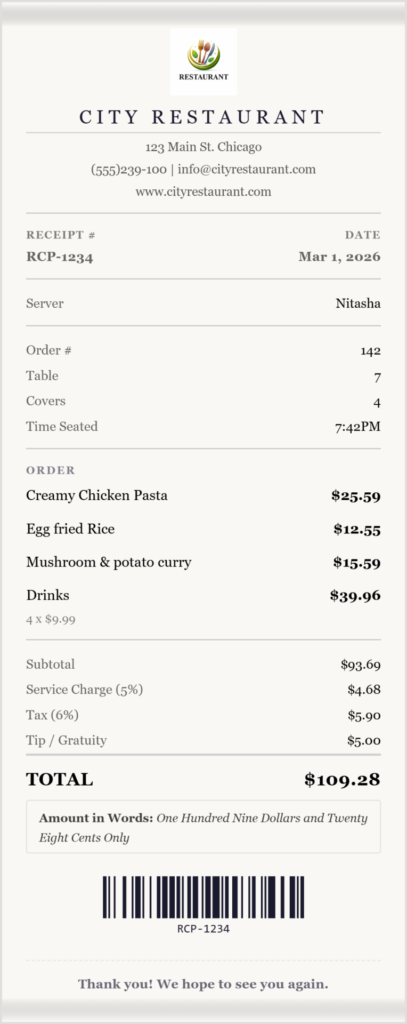
The service charge field is available across restaurant templates but particularly relevant here. Fine dining restaurants that include a mandatory service charge can set a percentage and have it calculated and displayed as a separate line on the bill clearly labeled so the guest can see exactly what they are being charged and why.
4. Fast Food Receipt
For quick service restaurants, burger counters, pizza counters, chicken chains, and any high-volume food operation. The Fast Food template uses a bold Impact font on a narrow thermal layout with perforated edges the exact style customers expect from a drive-through or counter order.
What this template captures:
- Customer name
- Crew member name
- Order number
- Itemized order, compact layout, each item on one line
- Subtotal, tax, and total
- Payment method
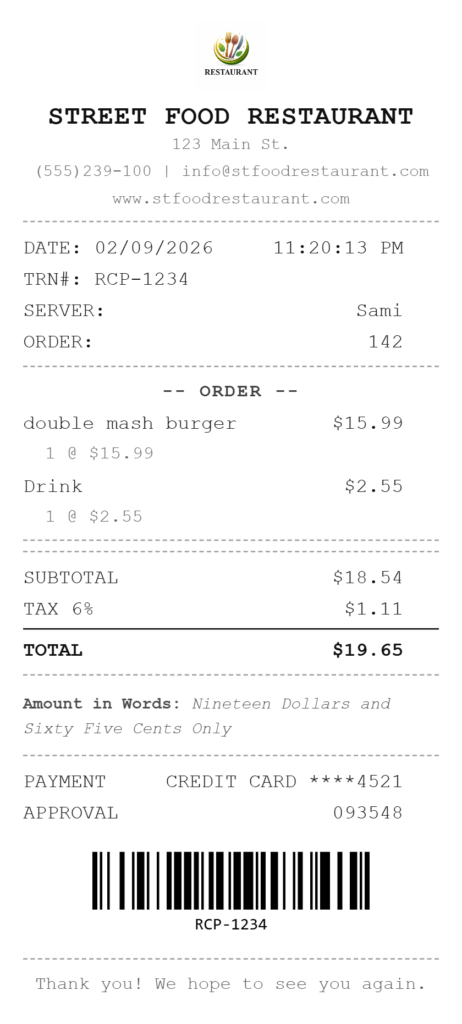
The compact layout is optimized for speed, no table number, no covers, no seating time. The focus is the order and the total, printed quickly and handed over with the food. Useful for food stalls, pop-up counters, and any operation where receipts need to be issued fast.
5. Bar Tab Receipt
For bars, pubs, nightclubs, cocktail lounges, and any venue that runs a running tab service. The Bar Tab template uses a monospace font on a dark carbon-texture background with an inkbleed effect, a visual style that matches the nightlife context.
What this template captures:
- Guest name
- Bartender name
- Tab number (labeled “Tab #” rather than the standard order number)
- Table number
- Tab opened time
- Tab closed time, both recorded on the receipt so the guest has a documented record of the session
- Itemized drinks, line items labeled as “Drinks & Tab”
- Subtotal, tax, tip, and total
- Payment method
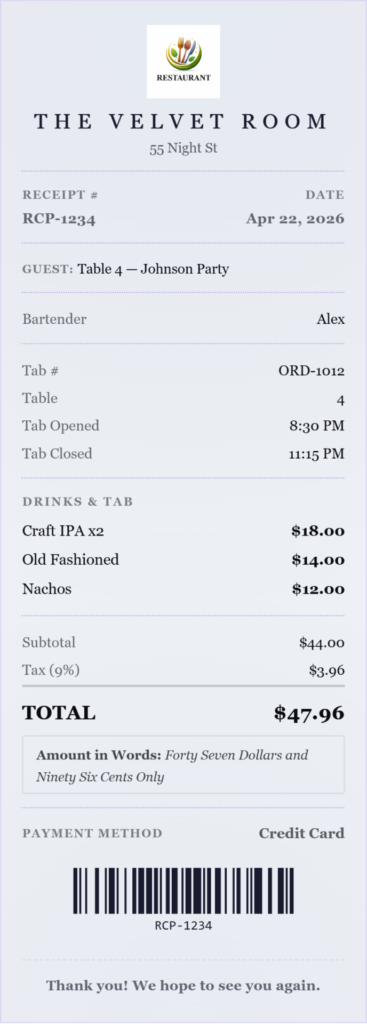
The tab opened and tab closed time fields are exclusive to this template. For guests filing expense claims for client entertainment, having both times on a bar receipt confirms the duration of the tab which some corporate expense systems require alongside the total. For the venue, the timestamps protect against disputes over which round was charged to which tab.
6. Bakery Receipt
For bakeries, patisseries, cake shops, confectioneries, and artisan food producers selling direct to customers. The Bakery template uses a kraft-paper texture with a warm gold serif font and star separators rustic and warm, fitting the character of most independent bakeries.
What this template captures:
- Customer name
- Baker name
- Order number
- Itemized baked goods line items labeled “Baked Goods” in a spacious layout
- Subtotal, tax, and total
- Payment methodustomer name
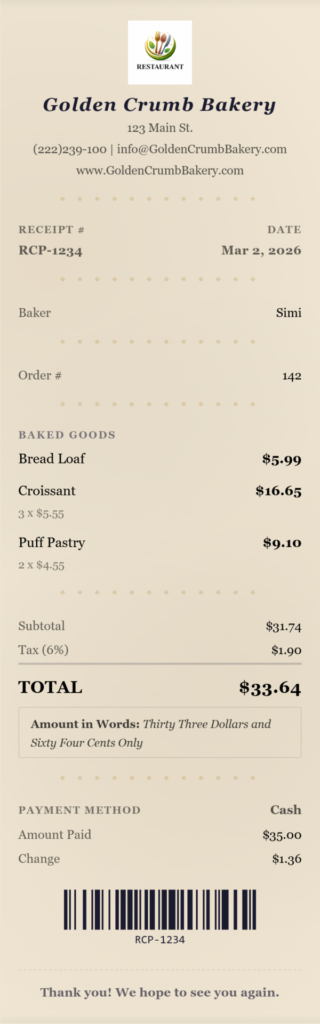
The spacious item layout gives each product room to breathe on the receipt, which matters when you are selling named artisan products “Sourdough Country Loaf” reads better with space around it than crammed into a compact thermal row. Useful for market stalls, in-store sales, and pre-order pickups.
7. Sushi Bar Receipt
For Japanese restaurants, sushi bars, ramen shops, and Asian dining establishments. The Sushi Bar template uses a clean, minimal sans-serif with an ultra-light business name in widely spaced uppercase letters and a deep crimson accent a modern Japanese aesthetic that stands apart from generic restaurant receipts.
What this template captures:
- Guest name
- Server name
- Order number
- Table number
- Number of covers
- Time seated
- Itemized dishes, line items labeled “Dishes”
- Subtotal, service charge, tax, tip, and total
- Payment method
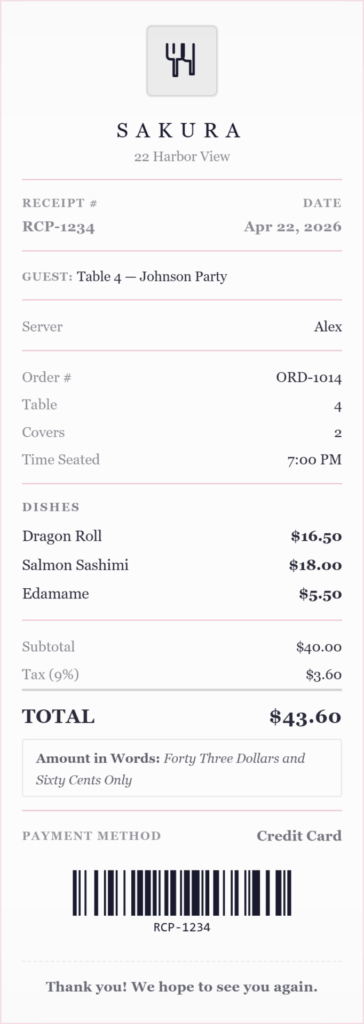
The covers and time seated fields make this template well suited to formal sit-down dining. The clean minimal layout also makes it an appropriate choice for any upscale Asian restaurant that wants a receipt that looks considered rather than generic.
8. Food Truck Receipt
For food trucks, street food vendors, festival stalls, market traders, and outdoor food operators. The Food Truck template uses a bold condensed font on kraft paper with torn edges and an orange accent energetic and street-food appropriate.
What this template captures:
- Customer name
- Server name
- Order number
- Order type, walk-up, pre-order, or app order
- Truck location, the specific park, lot, or event where the truck is operating
- Window or stall number useful at multi-vendor events where customers need to know which window to collect from
- Itemized order “Order Items” heading
- Subtotal, tax, and total
- Payment method
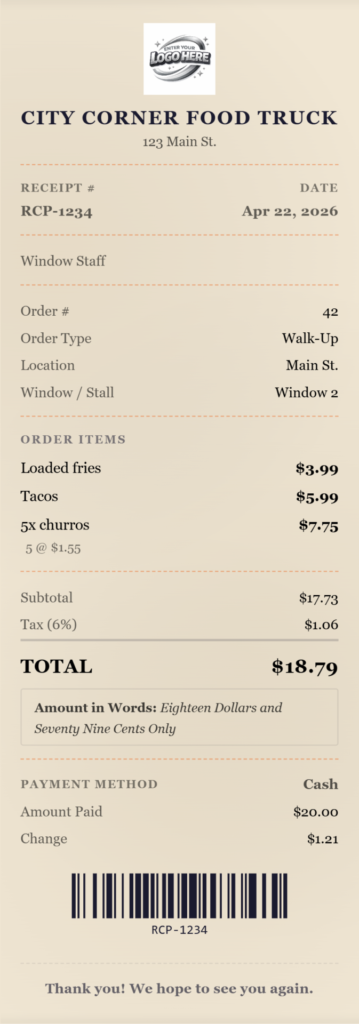
The location and window fields are exclusive to the Food Truck template. For customers collecting from a busy food festival or market, knowing the specific window or stall number on the receipt means they can collect with confidence rather than queuing at the wrong counter.
Features Every Restaurant Receipt Template Includes
Every template in the restaurant category supports the following across the board:
Logo upload — add your restaurant logo in PNG, JPG, or SVG. The logo appears in the receipt header and reinforces your brand on every transaction.
Tip field — enter a tip amount and it appears as a separate line below the total. For templates with tip, the receipt shows subtotal, tax, service charge (if applicable), tip, and the final total including tip — all clearly labeled.
Service charge — set a percentage and the service charge is calculated on the food subtotal and displayed as its own line. The tax is then recalculated on the food subtotal plus service charge, so the numbers are always accurate.
Second tax line — if your jurisdiction requires two separate tax rates (for example, a state tax and a city tax), a second tax line can be enabled with its own label and rate. Both tax lines appear separately on the receipt above the total.
Discount — apply a percentage discount to the order total. The discount appears as a negative line item so the customer can see the original subtotal and the saving clearly.
Multi-currency — currency is detected automatically based on your location and can be changed manually to any major currency. Useful for tourist-area restaurants and venues that serve international guests.
Digital or drawn signature — add a typed, drawn, or uploaded signature to the receipt.
Print, Email or Share — Share through whatsapp, send the receipt directly to a customer’s email as a PDF attachment, or print from the browser in one click.
What a Complete Restaurant Receipt Should Include
Whether you are issuing a dinner receipt, a takeout receipt, or a cafe receipt, the document should always contain:
Restaurant name, address, and contact details — the legal name of the business plus address and phone number. Customers filing expense claims need this to identify the vendor.
Receipt number and date — a sequential receipt number makes it easy to reference a specific transaction if a customer queries their bill.
Server or cashier name — standard practice in most sit-down restaurants. Customers often remember their server’s name and will use it when raising a query.
Itemized order — every dish and drink listed separately with individual prices. A single total without line items is not sufficient for most business expense submissions.
Subtotal, tax, service charge, and tip — each displayed as a separate line so the guest can see exactly how the total was reached. Lumping these together creates confusion and can lead to disputes.
Payment method — cash, card, contactless, or app pay. For split bills or partial cash payments, this field documents how the balance was settled.
Tax on food and drink — sales tax on restaurant meals varies by state and in some cases by item. Keeping accurate records of every transaction makes end-of-period tax filing straightforward and provides documentation in the event of an audit.
Frequently Asked Questions
Q: Can I use this as a restaurant receipt template for expense claims?
A: Yes. All eight templates produce a receipt with the restaurant name, address, itemized order, tax, and payment method, the fields most corporate expense systems require for a restaurant or food receipt submission.
Q: Can I add a tip to the restaurant receipt?
A: Yes. Every template in the restaurant category has a tip field. The tip appears as a separate line below the total, with a final “Total with Tip” line showing the complete amount paid.
Q: Can I add a service charge to a restaurant bill?
A: Yes. A service charge field is available on all restaurant templates. Set a percentage and it is calculated on the food subtotal and shown as a separate line. Tax is recalculated on the food subtotal plus service charge automatically.
Q: Can I create a bar tab receipt with open and close times?
A: Yes. The Bar Tab template has dedicated “Tab Opened” and “Tab Closed” time fields. Both appear on the receipt, which is useful for guests submitting client entertainment expenses that require the duration of the tab.
Q: Can I issue a receipt for a takeout or to-go order?
A: Yes. The Diner, Fast Food, Coffee Shop, and Food Truck templates all work equally well for takeout and to-go orders, leave the table number blank and the receipt reads as a counter or counter-service transaction.
Q: Does the food truck receipt include location details?
A: Yes. The Food Truck template has a location field (for the park, lot, or event) and a window or stall number field both displayed on the receipt so customers know exactly where to collect their order.
Q: Can I create a cafe receipt for a coffee order?
A: Yes. The Coffee Shop template is designed for exactly this use the items section is labeled “Drinks & Food” and the cashier role is labeled “Barista.” It works for both counter takeaway and sit-in orders.
Q: What file formats can I download?
A: PDF, PNG, and JPEG. PDF is best for printing and expense submissions. PNG and JPEG work well for sharing digitally. You can also print directly from the browser or email the receipt to a customer without downloading.
Q: Can I add my restaurant logo to the receipt?
Yes. All eight restaurant templates support logo upload in PNG, JPG, or SVG format. The logo appears in the receipt header.
Q: Is this free to use?
Yes. The restaurant receipt generator is completely free. No account required, no subscription, and no watermark on the downloaded file.
Related Receipt Generators
Other free tools from Simple Receipt Maker