
Photography Receipt Generator
Generate a professional photography receipt in seconds. Choose from 5 templates built for photographers — studio sessions, weddings, events, print orders, and commercial shoots. Download as PDF, PNG, or print instantly. No account required.
Fastest Way to Issue a Photography Payment Receipt
When a client pays for a photo session, a written receipt protects both of you. It confirms the amount paid, records what was delivered, and gives your client something to file for their own records. Our free photography receipt generator handles all of it — enter your details, pick a template, and your receipt is ready to download in under two minutes.
Every photography receipt template on this page supports logo upload, multi-currency, itemized line items, deposit tracking, tax fields, and digital or drawn signatures. Download as PDF or PNG, or send directly by email.
Templates supported by Our Photography Receipt Generator
1. Studio Session Receipt
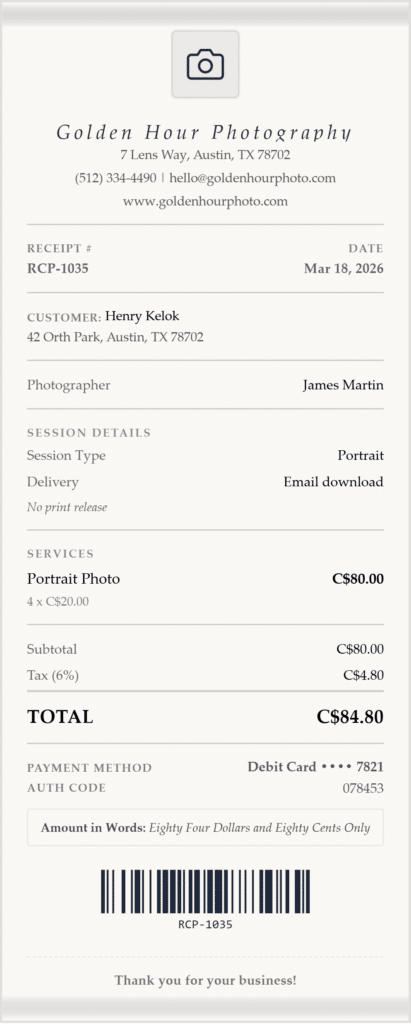
Built for portrait studios, headshot photographers, and anyone shooting in a controlled environment. The Studio Session template uses a classic serif layout on a linen texture — clean and professional without being generic.
What this template captures:
- Session type (portrait, headshot, newborn, family, etc.)
- Package name and inclusions
- Number of edited images delivered
- Delivery method (online gallery, USB, download link)
- Print release terms — displayed as an italicized note directly on the receipt
The print release field is unique to this template. Instead of sending a separate document, you can record the license terms — personal use, commercial use, or no release — right on the payment receipt, so there is no ambiguity after the session.
2. Wedding Photography Receipt
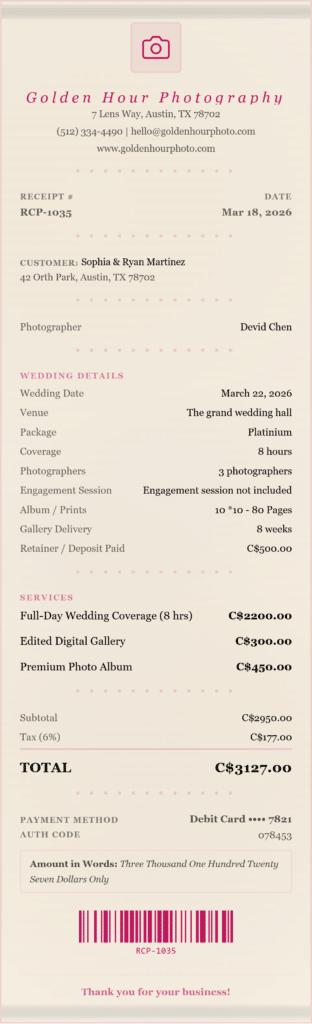
The most detailed template in the photography category. Wedding photography receipts need to capture more than just a total — they need to document what was agreed, what has been paid, and what is still outstanding.
What this template captures:
- Wedding date and venue
- Package name (e.g., Full Day, Half Day, Elopement)
- Coverage hours and number of photographers
- Engagement session inclusion
- Album and print order details
- Online gallery delivery timeline
- Retainer or deposit paid — shown as a separate line item with the balance remaining calculated automatically
The retainer field is what makes this template genuinely useful. When a couple pays a $1,500 deposit on a $4,000 package, the receipt clearly shows what was paid, what the package total is, and what remains due — no confusion at the final payment.
This template is ideal for issuing a wedding photography deposit receipt at booking, and a second receipt at final payment.
3. Event Coverage Receipt
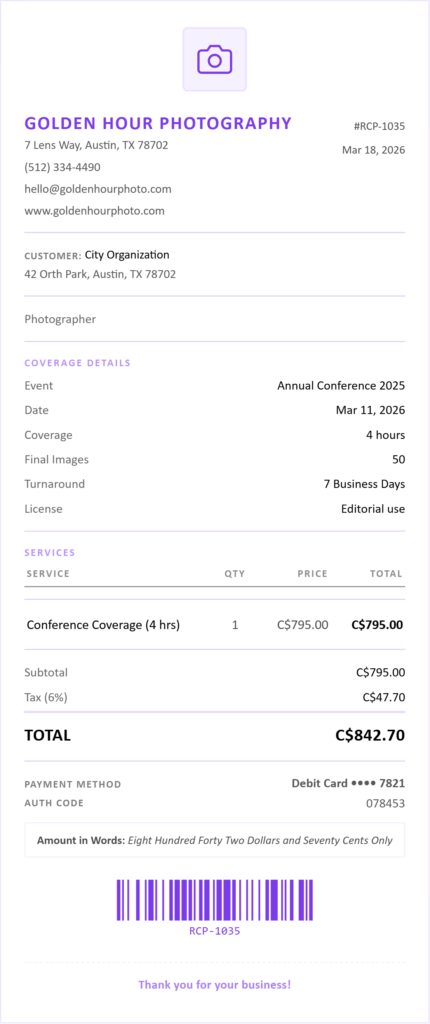
Designed for corporate events, conferences, galas, sports coverage, and any photography booked by an organization rather than an individual. The Event Coverage template uses a clean table layout — straightforward and easy to read for business clients who need to file the receipt with accounts payable.
What this template captures:
- Event name and date
- Coverage hours
- Number of final images delivered
- Turnaround time (e.g., 48 hours, 5 business days)
- Licensing terms — a dedicated field for usage rights such as internal use only, press distribution, or social media
The licensing field matters for commercial clients. Recording usage rights on the receipt means both parties have a signed, dated record of what was agreed — not just an email thread.
4. Print Order Receipt
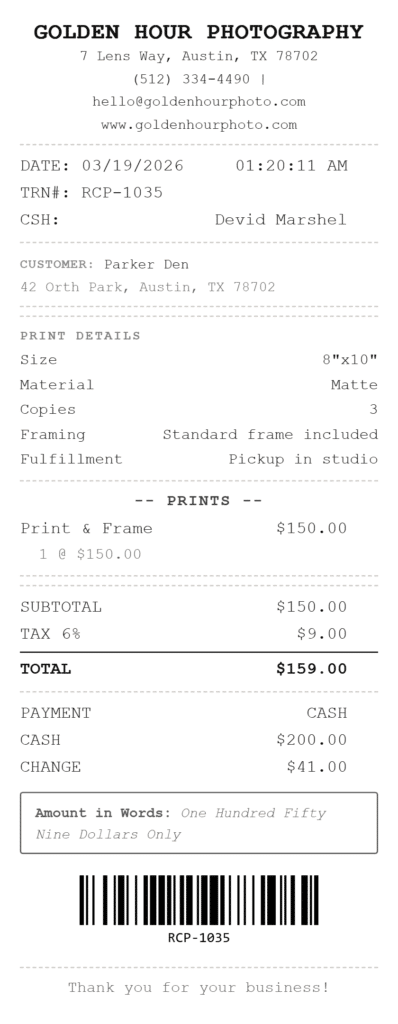
For photographers who sell physical prints, canvases, or framed pieces directly to clients. The Print Order template uses a compact thermal-style layout that lists each print as a line item, making it easy to read and file.
What this template captures:
- Print size (e.g., 8×10, 16×20, 24×36)
- Paper or material type (matte, lustre, metallic, canvas, fine art)
- Number of copies
- Image reference or file name
- Framing options
- Fulfillment method (pickup, shipped, delivered)
If you sell prints through an in-person studio sale or at an exhibition, this template gives your client a proper receipt for each order rather than a handwritten note.
5. Product Shoot Receipt
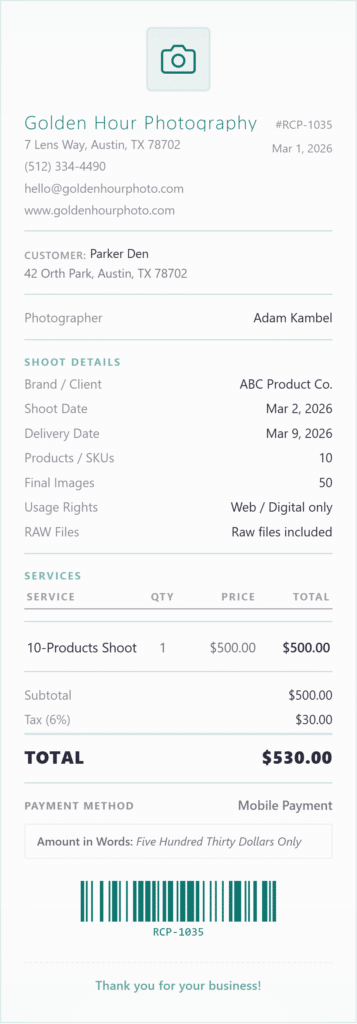
Built for commercial photographers working with brands, e-commerce businesses, and agencies. Product shoot billing is more complex than a standard session — clients need a receipt that documents deliverables, deadlines, and licensing in one place.
What this template captures:
- Brand or client name
- Shoot date and final delivery date
- Number of products or SKUs photographed
- Final image count delivered
- Usage rights (e.g., web only, exclusive, worldwide print)
- RAW files included — yes or no, clearly stated
For e-commerce clients especially, the usage rights and RAW files fields eliminate the back-and-forth that typically happens after delivery. Everything agreed at booking is on the receipt.
What Every Photography Receipt Should Include
Regardless of which template you use, a complete photography payment receipt should always contain:
Your business information — studio name, address, phone number, and email. If you have a logo, upload it. A branded receipt looks more professional than a plain document and reinforces your studio identity with every transaction.
Client information — name and contact details so the receipt can be matched to a client file without searching through emails.
Receipt number and date — a sequential receipt number makes bookkeeping straightforward for both you and your client.
Itemized services — list each service separately rather than writing a single lump sum. Session fee, editing, travel, and add-ons should each appear as their own line item.
Payment method — cash, bank transfer, credit card, or payment app. This matters for your own records and for any client who needs to reconcile the payment.
Tax line — if you charge sales tax or VAT on photography services, the tax field lets you enter a rate and label it correctly for your jurisdiction. Whether photography services are taxable varies by state and country — if you are unsure, check with your accountant before adding tax to client receipts.
Deposit or balance due — if a client has paid a retainer, the receipt should show it. Our templates calculate the remaining balance automatically once you enter the deposit amount.
Frequently Asked Questions
Can I use this as a photography invoice instead of a receipt?
A receipt confirms payment that has already been made. An invoice requests payment that is still due. If your client has paid in full or paid a deposit, issue a receipt. If you are requesting payment before the session, issue an invoice. Our generator is designed for receipts, but many photographers use it for both by adjusting the document title in the business name field.
Can I record a partial deposit on a photography receipt?
Yes. The Wedding Photography template has a dedicated retainer field that shows the deposit paid and the remaining balance. For other templates, you can add the deposit as a line item with a negative value or a separate note in the items section.
What file formats can I download?
PDF, PNG, and JPEG. PDF is best for printing and archiving. PNG and JPEG work well for sending digitally or attaching to an email. You can also print directly from the browser or email the receipt to your client without downloading.
Does the receipt support multiple currencies?
Yes. The currency is detected automatically based on your location, and you can change it manually to any major currency. Useful if you shoot destination weddings or work with international commercial clients.
Can I save a receipt and come back to it later?
Yes. Receipts are saved to your browser’s local storage, so you can return to a draft without re-entering everything. Note that clearing your browser data will remove saved drafts.
Can I add my studio logo?
Yes. All five photography templates support logo upload in PNG, JPG, or SVG format. The logo appears in the receipt header.
Is this free to use?
Yes. The photography receipt generator is completely free. No account, no subscription, no watermark on the downloaded file.
Can I send the receipt directly to my client by email?
Yes. Use the email button to send the receipt directly from the tool without downloading it first. Enter your client’s email address and the receipt is delivered as a PDF attachment.
Related Receipt Generators
Other free tools from Simple Receipt Maker