
Mechanic Receipt Generator
Create a professional mechanic receipt in under two minutes. Fill in the details, download as PDF, and share or email — completely free.
- PDF, JPEG & PNG download
- Share through Whatsapp or Send Email
- 8 Mechanic receipt templates
- Tax-compliant
- Digital signature
Mechanic Receipt Templates We support
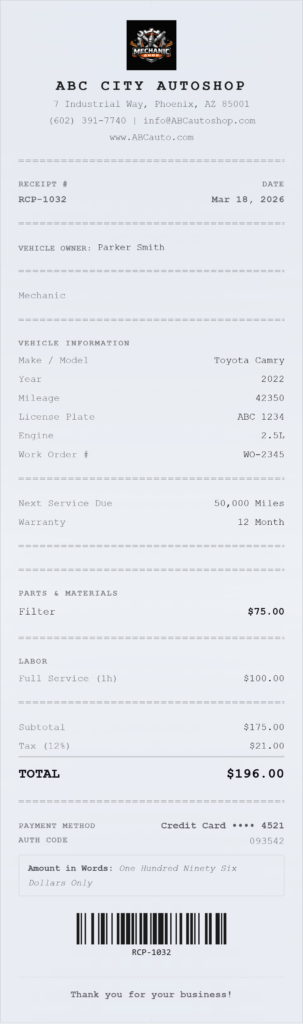
🔧 Auto Shop Receipt — Garage Style
Best for: Independent repair garages and full-service auto shops.
The Auto Shop template uses a bold, monospaced garage-style layout with a carbon paper texture and perforated edge — designed to look like it came off a real shop printer. It prints your shop name in heavy uppercase type with wide letter-spacing, so your business name commands attention at the top of every receipt.
What this template captures:
- Vehicle make, model, year, license plate, VIN, and engine type
- Itemized labor charges (hours × rate) listed separately from parts
- Work order number
- Next service recommendation and warranty terms
- Part numbers printed alongside each line item
Use this template if you run a traditional garage, independent repair shop, or general auto service center and want a receipt that looks as serious as the work you do.
🚗 Car Repair Receipt — Auto Repair Invoice
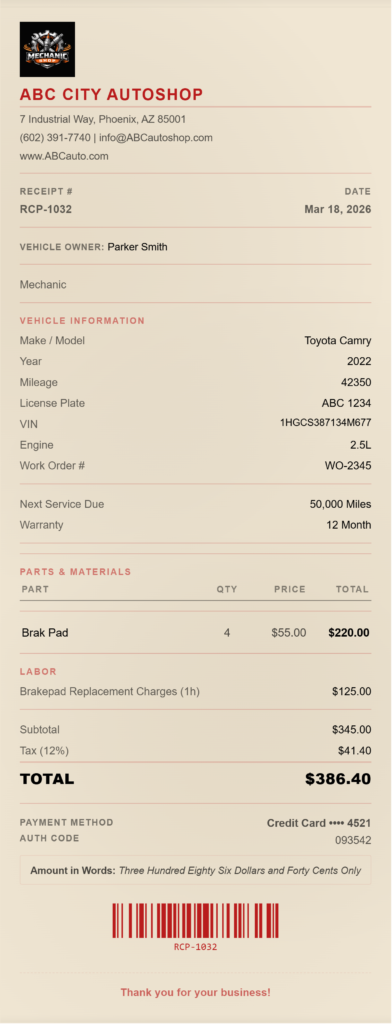
Best for: Auto repair shops that handle multi-service jobs and want a clean, professional invoice format.
The Car Repair template is a wide, table-layout receipt with a bold red accent and a kraft paper texture. It’s designed for jobs that involve multiple services and parts on a single ticket — the table format keeps everything readable and itemized.
What this template captures:
- Full vehicle information (make, model, year, plate, VIN, engine)
- Labor charges as separate line items with hours and rate
- Work order number
- Parts with Part # column
- Warranty statement and next service date
- Insurance claim number (visible only when filled in)
Use this template if you run a full-service repair shop and need a receipt that doubles as a professional auto repair invoice.
🛢️ Oil Change Receipt — Quick Lube & Oil Change
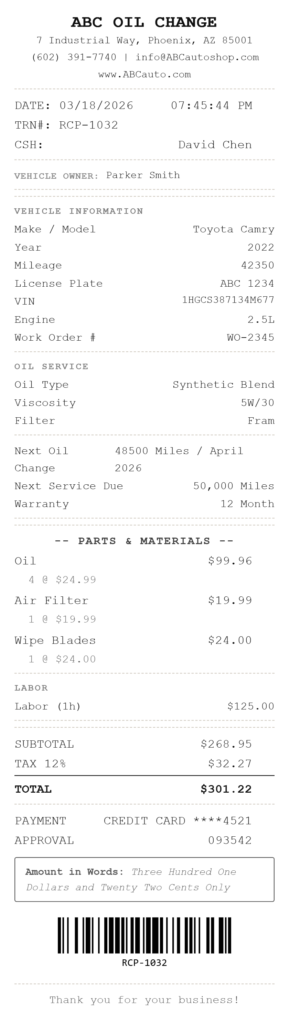
Best for: Quick lube shops, oil change stations, and fast service bays.
The Oil Change template is a narrow thermal-style receipt — the kind you hand to a customer at the drive-through window. Monospaced font, dashed separators, and a thermal fade effect give it the authentic quick-lube look. No logo, no frills — just fast, clear documentation.
What this template captures:
- Oil type (e.g., Full Synthetic, Conventional, High Mileage)
- Oil viscosity (e.g., 5W-30)
- Filter brand/type replaced
- Next oil change mileage or date reminder
- Vehicle make, model, year, mileage, and plate
- Lube technician name
Use this template if you run an oil change or quick lube service and want a receipt that prints fast and fits the format your customers expect.
✨ Car Detailing Receipt — Auto Detailing
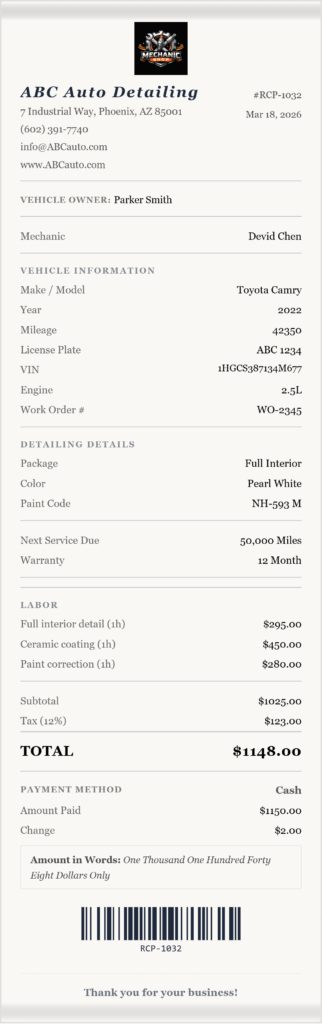
Best for: Auto detailing businesses, mobile detailers, and premium car care studios.
The Car Detailing template uses a serif font on a linen-textured background with decorative borders — a premium look that matches the high-end nature of detailing work. The spacious layout lets each service breathe, reinforcing the quality of the job.
What this template captures:
- Vehicle color and paint code
- Detailing package name (e.g., Full Interior, Ceramic Coating, Paint Correction)
- Itemized detailing services with spacious line spacing
- Vehicle make, model, year, VIN, and mileage
- Detailer name
- Warranty and next service fields
Use this template if you run a detailing business — mobile or studio — and want a receipt that reflects the premium level of your service.
📦 Parts Invoice — Parts Listing
Best for: Auto parts suppliers, mechanics selling parts separately, and shops that need a parts-only receipt.
The Parts Invoice template uses a dot-matrix printer style on a green-accented, monospaced layout with a perforated edge — the classic look of an auto parts counter receipt. It’s built specifically for itemizing parts without a labor section.
What this template captures:
- Detailed parts list with Part # column for each item
- Vehicle make, model, year, and VIN for reference
- Work order number
- No labor section — parts only
- Subtotal, tax, and total
Use this template if you sell parts directly to customers or other shops, or need to issue a separate parts receipt alongside a labor invoice.
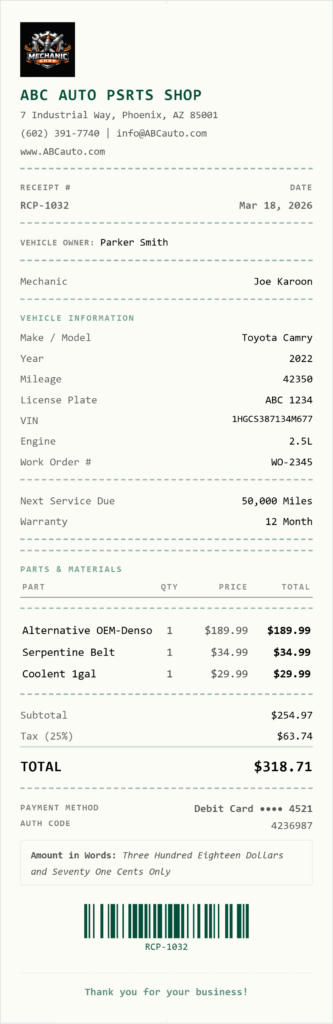
🔄 Tire Center Receipt — Tire Shop Style
Best for: Tire shops, tire centers, and any shop performing tire-related services.
The Tire Center template is clean and bold — heavy uppercase shop name, solid separators, and a smooth white finish. It includes a dedicated tire specification section that captures the exact tire details for every vehicle, which is important for warranty tracking and customer records.
What this template captures:
- Tire brand and size (e.g., 245/55R17)
- Service type (e.g., Mount & Balance, Rotation, Alignment)
- Front and rear PSI readings
- Part # column for tire SKUs
- Vehicle make, model, year, plate, and mileage
- Tire technician name
Use this template if you operate a tire shop or perform tire services and need a receipt that captures the specific tire details customers need for warranty claims and future reference.
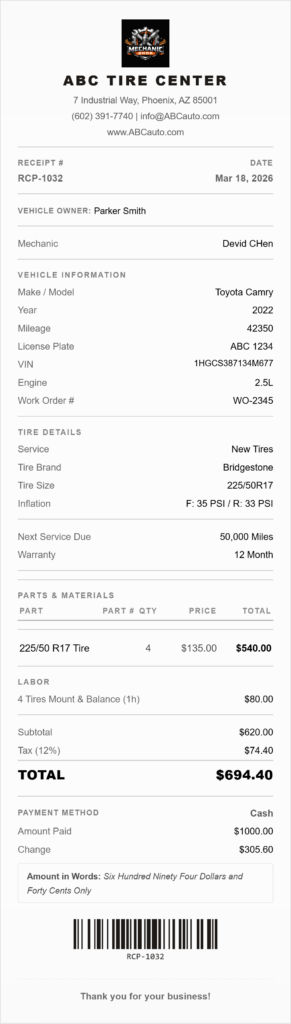
🚙 Body Shop Receipt — Collision Repair
Best for: Body shops, collision repair centers, and paint and panel shops.
The Body Shop template is wide-format with a bold, heavy font, kraft paper texture, and a dark red accent — built for the serious, high-value nature of collision repair. It’s the only Mechanic template that includes an insurance claim number field, which is essential for shops working with insurance-paid repairs.
What this template captures:
- Insurance claim number (body shop exclusive field)
- Itemized repair services (bumper, panel, paint, rental car)
- Estimator name
- Vehicle make, model, year, plate, VIN, and engine
- Labor charges with hours and rate
- Work order number and warranty terms
- Part # column
Use this template if you run a collision or body shop and need to document insurance-paid repairs with a claim number alongside the standard repair details.
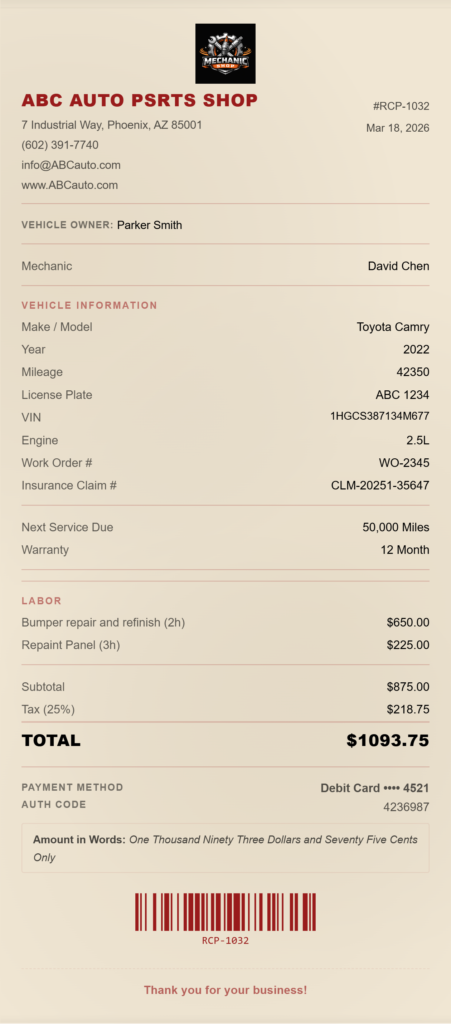
📱 Mobile Mechanic Receipt — On-Site Vehicle Repair
Best for: Mobile mechanics who repair vehicles at the customer’s home, workplace, or roadside.
The Mobile Mechanic template is clean and modern — wide format, smooth paper, single border — designed to be generated from a phone and emailed or shared as a PNG on the spot. It adds a service location field so the receipt records exactly where the repair took place, which matters for mobile work documentation and customer records.
What this template captures:
- Service location address (mobile mechanic exclusive field)
- Call-out / travel fee (mobile mechanic exclusive field)
- Vehicle make, model, year, plate, VIN, mileage, and engine
- Itemized labor charges with hours and rate
- Parts with Part # column
- Mechanic name
- Warranty and next service recommendation
Use this template if you are a mobile mechanic and need to issue a professional receipt immediately after completing a job on-site — without a printer or office.
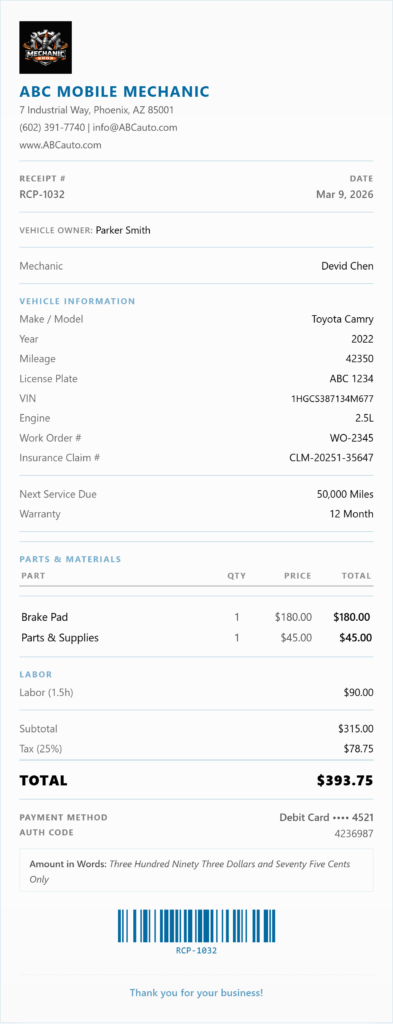
How to Use a Mechanic Receipt Generator
- Click the generator and select the Mechanic category from the template picker
- Choose your template — Auto Shop, Car Repair, Oil Change, Car Detailing, Parts Invoice, Tire Center, Body Shop, or Mobile Mechanic
- Enter your shop details — business name, address, phone, email, and logo
- Fill in the vehicle and service information — the form fields adjust automatically based on the template you selected
- Download as PDF or PNG, print directly, or email to your customer
Your business details are saved in your browser so you never have to re-enter them for the next job.
Frequently Asked Questions
Does the generator calculate labor and parts totals automatically?
Yes. You enter each labor line item with hours and rate, and each parts line item with quantity and price. The generator calculates the subtotal, applies your tax rate, and shows the grand total automatically. You can also add a discount and a second tax line (for example, a state tax plus a city tax) if your business requires it.
Can I add tax to a mechanic receipt?
Yes. The tax field is fully customizable — enter your rate as a percentage and label it whatever applies to your state or country (e.g., “Sales Tax,” “VAT,” “GST”). Whether labor charges are taxable depends on where your shop is located — sales tax rules on auto repair labor vary by state. If you charge two separate tax rates, you can enable a second tax line with its own label and rate. Both appear as separate line items on the receipt above the grand total.
What vehicle information can I include on a mechanic receipt?
All mechanic templates support the full vehicle record: make, model, year, license plate, VIN, engine type, and mileage at time of service. The Oil Change template also records the next service mileage. The Tire Center template adds tire brand, size, and PSI readings for front and rear. The Body Shop template adds an insurance claim number field.
Can I use this for a mobile mechanic business?
Yes — the Mobile Mechanic template is built specifically for on-site work. It adds a service location field (so the receipt records where the repair took place) and a call-out fee field that appears as a separate line item. The generator is fully mobile-optimized, so you can fill it in and send the receipt from your phone immediately after completing a job, without a printer or office.
Can I add a work order number to the receipt?
Yes. All mechanic templates include a Work Order # field. The number appears prominently on the receipt so both you and the customer can reference the job easily for warranty claims, follow-up work, or disputes.
Can I include a warranty statement on the receipt?
Yes. There is a warranty field available on all mechanic templates. Enter your standard warranty terms (for example, “12 months / 12,000 miles on parts and labor”) and it prints at the bottom of the receipt. This gives customers written proof of the warranty at the time of service.
Can I include a next service reminder on the receipt?
Yes. The mechanic templates include a Next Service field where you can enter the next recommended service date or mileage. For the Oil Change template, the next oil change mileage or date prints in its own dedicated section at the bottom of the receipt — the standard position customers expect.
Does the generator support currencies other than US dollars?
Yes. The currency selector covers 60+ currencies including USD, EUR, GBP, JPY, CAD, AUD, and many others. If your currency is not listed, you can enter a custom currency symbol and name manually. Our mechanic receipt generator also auto-detects your location and pre-selects your local currency when you first open it.
Can I add a barcode or QR code to the receipt?
Yes. Our mechanic receipt generator supports adding either a barcode or a QR code to your receipt. You can enter any text or number to encode — for example, your work order number or a URL linking to your shop’s service history portal. You can also choose to show no code at all if you prefer a cleaner layout.
Can I add a signature to the receipt?
Yes. The generator supports typed signature fields (for mechanic name and customer name) as well as digitally drawn signatures — your customer can sign directly on screen using a touchscreen or mouse, and the signature is embedded in the downloaded PDF or PNG.
Can I use a mechanic receipt for tax purposes?
Yes. A properly completed mechanic receipt — with itemized services and parts, labor charges, payment method, and your business details — serves as a valid income record for tax filing. The IRS recommends that businesses keep transaction records for at least three years. Consult your accountant or tax advisor for guidance on record-keeping requirements specific to your state and business structure.
Can I use this for a body shop with insurance repairs?
Yes. The Body Shop template includes an insurance claim number field that does not appear on any other mechanic template. This lets you document the claim reference alongside the repair line items, which is standard practice for insurance-paid collision repairs. The wide table layout also accommodates the higher-value, multi-line invoices typical of body shop work.
Related Receipt Generators
Other free tools from Simple Receipt Maker